
Spotify++ IPA for iPhone and iPad (iOS 15–27)
Looking for a cleaner way to install Spotify++ IPA on iPhone or iPad? This page helps you check compatibility, choose the right install method, download the latest tested build, and find a better alternative if Spotify++ is not the best fit for your device.
Spotify++ remains one of the most searched Spotify IPA options for iOS users, but not every build works the same on every device. That is why this page focuses on what matters most first: working status, install methods, troubleshooting, and the safest next step if you need another option.
Spotify++ at a Glance
- App name: Spotify++ IPA / Spotify Premium IPA
- Device support: iPhone and iPad
- iOS support: iOS 15 to iOS 26+ and iOS 27 Beta
- Install methods: AltStore, SideStore, Esign, TrollStore, Scarlet and etc
- Jailbreak required: No
- Best alternative: EeveeSpotify and more
Spotify++ is mainly used by iOS users who want a Spotify IPA for sideloading instead of using the normal App Store version. For most users, the best result comes from starting with the latest tested build and using the install method that matches their device setup.
What Is Spotify++ IPA?
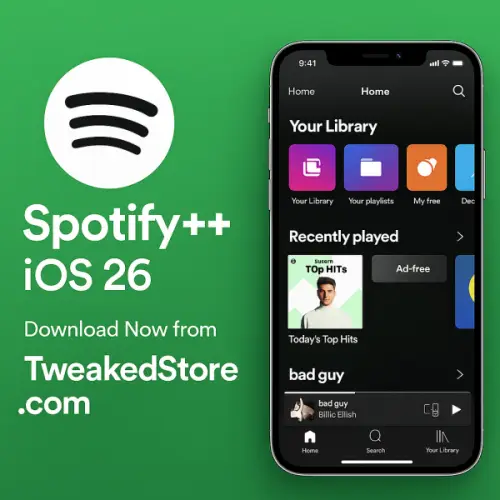
Spotify++ IPA is a Spotify app package made for sideloading on iPhone and iPad. Instead of installing through the App Store, users import the IPA file into an installer such as AltStore, SideStore, Esign, TrollStore, or Scarlet.
People usually search for Spotify++ when they want a Spotify IPA for iPhone, a sideloadable Spotify build for iOS 26, or a no-jailbreak install method that is easier to manage on their own device.
Who this page is for
This page is built for users who want:
- Spotify IPA for iPhone or iPad
- Spotify++ on iOS 26 and iOS 27
- a no-jailbreak install method
- a better way to test Spotify tweak options
- a working alternative if Spotify++ is not installing properly
Why this page is more useful
Many pages only show a download section and repeat the same keywords again and again. This page is different. It helps you:
- check compatibility before you install
- choose the best installer for your setup
- understand what to expect
- compare Spotify++ with better alternatives
- fix common install problems faster
Spotify++ Compatibility for iOS 15–27
Spotify++ can work on a wide range of iPhone and iPad models, but the result depends on three things: the IPA build, the install method, and your iOS version. Using a newer tested version usually gives you a smoother install and fewer problems.
Spotify++ Compatibility Table in 2027
| iOS Version | Status | Recommended Install Method | Notes |
| iOS 15 | Supported | AltStore / TrollStore | Good for older supported setups |
| iOS 16 | Supported | AltStore / SideStore / TrollStore | Stable for many users |
| iOS 17 | Supported | AltStore / SideStore | Common sideload target |
| iOS 18 | Supported | SideStore / Esign | Check signing stability |
| iOS 26 & iOS 27 beta | Supported | SideStore / Esign / Scarlet | Best to use the latest tested build |
Compatibility can change over time because Spotify IPA builds, certificates, and sideload tools do not always behave the same. That is why it is smarter to use the newest tested version instead of jumping between random files.
Check Latest Tested Version
Main Features of Spotify++ IPA App
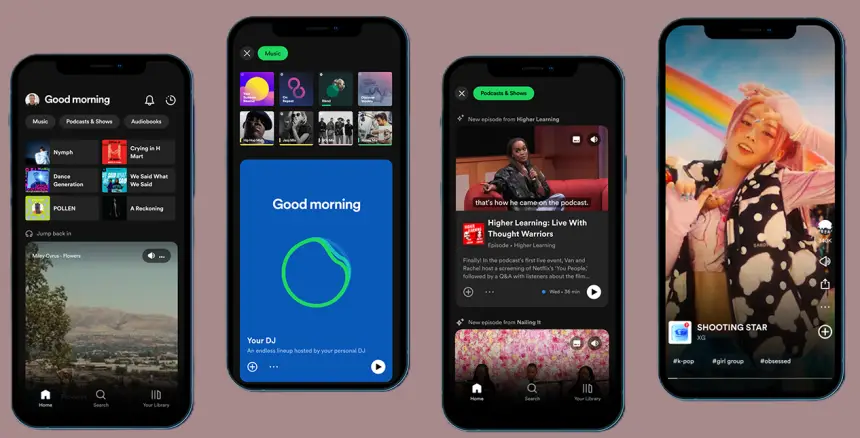
Spotify++ gives iPhone and iPad users a smoother Spotify IPA experience with more playback control, a cleaner listening flow, and easier access to the features people look for most. It is mainly used by users who want a better Spotify sideload app setup without jailbreak.
Main Features
- Ad-free listening experience
- Unlimited skips
- Better playback control
- Cleaner music streaming flow
- Easy sideload install support
- Works on iPhone and iPad
What Works in Spotify++ and What to Know Before Installing
Spotify++ is popular because it gives users another way to run a Spotify IPA on iPhone and iPad without jailbreak. It is often searched by users who want more flexibility than the standard App Store app.
At the same time, it is important to be realistic before installing. The full experience can vary depending on the build you use, the installer you choose, and changes on the Spotify side. A good page should not only tell you where to download. It should also tell you what to check first and what to do next if the app does not behave as expected.
That is why this page also includes compatibility help, install method guidance, better alternatives, and troubleshooting. It is meant to save time, not create more confusion.
Spotify++ Tweaked IPA Info:
Name: Spotify Plus (Spotify++)
Latest Version: 6.0.2-9.0.68
App Category: Music (iOS Tweaked)
Compatibility: iOS 15+
Size: 81.9 MB
Download Spotify++ IPA (latest version)
Use the latest tested Spotify++ IPA if you want the best chance of a cleaner install and better compatibility on iPhone or iPad.
✅ Verified Safe Download
Spotify++ IPA Older Versions
Need to test another build? You can also check older Spotify++ IPA versions when the newest version is not the best match for your device or preferred installer.
Note: Only use trusted and tested IPA sources. Random files from untrusted sources usually create more install problems, more crashes, and more wasted time.
Best Spotify++ Install Methods for iPhone and iPad
Choosing the right installer matters almost as much as choosing the IPA itself. If one method does not work well on your iPhone, switching the installer often solves the problem faster than testing random old versions.
Spotify++ AltStore Install
AltStore is one of the best-known IPA sideloading methods for iPhone users seeking a structured, reliable installation path. It is a strong choice for users who do not mind an initial setup process and want better control over app signing. AltStore install guide →
- Download Spotify++ IPA from TweakedStore or trusted source.
- Install AltServer on your Mac or Windows PC.
- Connect your iPhone via USB and open AltStore.
- Tap My Apps → + → Select Spotify++.ipa.
- Wait a few seconds for installation to complete.
- Go to Settings → General → VPN & Device Management, trust your Apple ID, and open Spotify++.
Spotify++ SideStore Install
SideStore is a strong option for users who want a more flexible sideload method after setup. It is especially useful for people who regularly manage IPA apps and want a smoother refresh experience. SideStore install guide →
Best for: repeat sideload users and newer iOS devices
- Install SideStore directly on your iPhone or iPad.
- Download Spotify++ IPA from TweakedStore.
- Open SideStore → Tap Add → Select IPA.
- Sign with your Apple ID and install.
- Once finished, trust the profile in settings and launch Spotify++.
Spotify++ TrollStore Install
TrollStore is only for compatible devices and supported environments, but where it works, it can be one of the cleanest ways to keep an app installed with less hassle. TrollStore guide →
Best for: users with TrollStore-compatible devices
- Install TrollStore on your iPhone (works best on iOS 26+).
- Download the latest Spotify++ IPA from TweakedStore or any trusted source.
- Open TrollStore → Tap Import IPA → Install.
- The app installs permanently — no 7-day signing limit.
- Launch Spotify++ from your home screen and enjoy.
Spotify++ Esign Install
Esign is popular with users who prefer an iPhone-first installation flow. It is commonly used for direct signing and can be a good choice for users who want a more mobile-friendly method. Esign guide →
Best for: users who prefer a direct iPhone-based install path
- Download Spotify++ IPA from TweakedStore.
- Open the Esign app on your device.
- Import the downloaded IPA file.
- Tap Sign → Install and wait for the process to finish.
Go to Settings → General → VPN & Device Management → Trust Developer, then open Spotify++.
Spotify++ Scarlet Install
Scarlet is another common choice for direct IPA installs. It is often used for quick testing and can be useful when you want another route besides AltStore or SideStore. Scarlet guide →
Best for: users who want another direct install option
How to Install Spotify++ IPA (easy steps)
Installing Spotify++ is usually simple once you choose the right tool.
Basic Steps
- Download the latest tested Spotify++ IPA file (here).
- Open your preferred IPA installer (methods).
- Import the Spotify++ IPA into the installer.
- Complete the signing or install process.
- Open the app on your iPhone or iPad and test it.
If one installer fails, do not assume the IPA file is broken. In many cases, changing the installation method or using a newer, tested build solves the issue much faster.
Quick Open Spotify++ in IPA Installer
Similar Trending Apps
Spotify++ vs EeveeSpotify vs Spotilife
Not every Spotify IPA is the best fit for every device. That is why comparing Spotify++ with other well-known options is important.
Spotify++ for iPhone and iPad
Spotify++ is still one of the strongest search terms in this space. Many users look for it first because the name is familiar and widely searched. It remains a solid starting point for users who want a Spotify IPA for iPhone or iPad.
EeveeSpotify for iPhone and iPad
EeveeSpotify is one of the best alternatives to Spotify++. It is a strong option for users who want another Spotify IPA choice, especially when testing newer iOS environments or switching from an older tweak-based option.
Spotilife for iPhone and iPad
Spotilife is an older and well-known name in the Spotify tweak space. It still matters for comparison because many users search for it when checking older Spotify IPA options or comparing classic tweak names.
Quick Comparison
| Option | Best For | Strength | Good Choice For |
| Spotify++ | classic Spotify++ search intent | familiar and widely searched | users who want exact-match Spotify++ results |
| EeveeSpotify | modern alternative intent | strong alternative option | users who want another updated Spotify IPA choice |
| Spotilife | older comparison intent | familiar legacy name | users comparing older Spotify tweak options |
If Spotify++ is not installing well on your device, the smartest next move is usually to try EeveeSpotify instead of downloading random files from unknown sources.
Spotify++ Alternatives in 2026



Why Spotify++ May Not Work on Your iPhone
When Spotify++ does not work, the problem is not always the app itself. Very often, the issue comes from the install method, the certificate, or using a build that does not match the device properly.
Common Reasons
- the IPA build is outdated
- the signing process failed
- the certificate is revoked
- the chosen installer is unstable
- the device or iOS version is not matching well with the build
- the install was not completed correctly
What to Do Next
Start with the simplest steps:
- use the latest tested Spotify++ IPA
- try another install method
- remove the broken version fully
- reinstall with a cleaner signing path
- move to EeveeSpotify if needed
Many users waste time trying too many old files first. In most cases, a cleaner reinstall or a better installer works faster.
Spotify++ Troubleshooting Guide
A good Spotify IPA page should help users fix problems, not only find a download button. Here are the most common issues and the cleanest next steps.
👉 Spotify++ Not Installing
If the app does not install, the problem is usually related to the install method, the signing process, or an outdated IPA file. Try using another installer before giving up on the file.
👉 Spotify++ Crashes on Open
A crash after launch often means the app was not signed properly, the install process failed, or the build is not matching your environment well. Delete the app fully and reinstall using the newest tested version.
👉 Spotify++ Not Verified
If your iPhone shows a trust or verification warning, the certificate or install flow may not be valid. Reinstall using a more stable method or try another IPA installer that is working better on your device.
👉 Spotify++ Not Working on iOS 26
Users on the newest iOS versions should avoid random older builds. Use the latest tested Spotify++ IPA and a modern install method such as SideStore, Esign, or another current option that matches your device setup.
👉 Spotify++ Revoked
Revokes are usually tied to certificate-based installs. If the app stops opening, switch to a more stable install route or reinstall using a fresh signing process.
Why Use TweakedStore for Spotify++ IPA
TweakedStore is built around iPhone and iPad users who want a cleaner way to find working IPA apps, install methods, and better alternatives without digging through low-quality pages.
👉 Clearer Page Structure
We organize important sections in a simple order: compatibility, install methods, alternatives, troubleshooting, and related tools. That makes the page easier to use and easier to trust.
👉 Better for Real iOS Users
This page is written for actual iPhone and iPad users, not just for search engines. The goal is to help you make the right next move faster.
👉 Better Next-Step Options
If Spotify++ is not the right fit, you do not need to start over. You can move straight to related pages, install guides, old versions, or alternative Spotify IPA options from the same topic cluster.
Spotify++ FAQ in 2026
1. Is Spotify++ IPA working on iOS 26?
Yes, Spotify++ can work on iOS 26 depending on the build and install method. The best starting point is always the latest tested version.
2. Does Spotify++ require jailbreak?
No. Spotify++ IPA is normally installed with sideloading tools, so jailbreak is not required.
3. What is the best Spotify++ install method?
That depends on your device and how you prefer to install IPA files. AltStore, SideStore, Esign, TrollStore, and Scarlet are the most common choices.
4. What is the best Spotify++ alternative?
EeveeSpotify is one of the strongest alternatives if Spotify++ does not install well or you want another Spotify IPA option for iPhone.
5. Why does Spotify++ crash after install?
This usually happens because of a signing issue, a revoked certificate, or a build that does not match your device or iOS version properly.
6. Can I use Spotify++ on iPad too?
Yes. Spotify++ IPA can be used on both iPhone and iPad, but the experience depends on the build and install method you choose.
7. Should I use old Spotify++ IPA versions?
Only when needed for testing or compatibility. In most cases, the latest tested build is the better choice.
8. Where can I find more Spotify IPA tools?
You can check the IPA Library and related Spotify tweak pages for more options, install methods, and alternative app guides.